
Big Walk Character Customization — Paint Guide
A coordinate-led paintbrush guide with night lighting, three-zone targeting, role swapping, correction steps, and coordination uses.
Table of contents
Big Walk characters use three colour zones: head, upper body, and lower body. You can recolour each zone at the early paint station, but a friend has to hold the brush and paint you—you cannot apply it to yourself.
Find the paint station
The customization area is approximately 3570, 1190.
From the tutorial:
- leave through the huge floor-to-ceiling archway;
- follow the path down the mountainside;
- stop at the early flare device and bench;
- look across the river to the right;
- find the scaffolded structure with green, yellow, and red walls and a large paint palette covering much of the green back wall.
A lantern sits between the flare point and the station. At night, use it as a route marker, then turn on the station work light on the left side of the yellow wall before choosing colours.
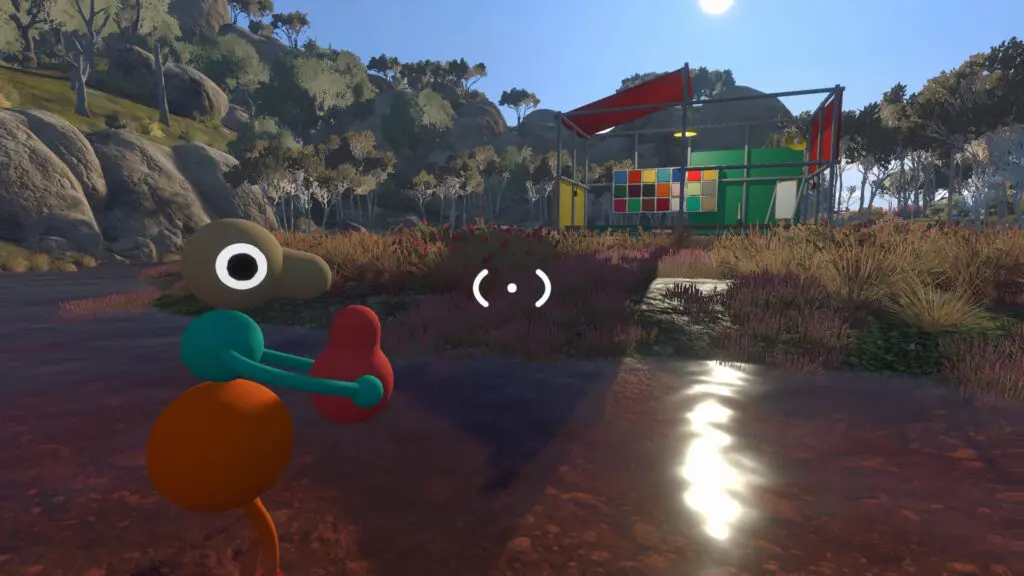
Paint a player
- The painter picks up the paintbrush inside the area.
- Dab the brush into one colour on the large palette.
- The other player stands still in front of the mirror.
- Aim at the head, upper body, or lower body until a white interaction circle identifies that zone.
- Apply the colour.
- Use the mirror on the far right to inspect the result.
- Repeat for the other two zones or repaint a zone with another palette colour.
The available choices are the colours on the wall palette. You cannot blend multiple colours within a single body zone.
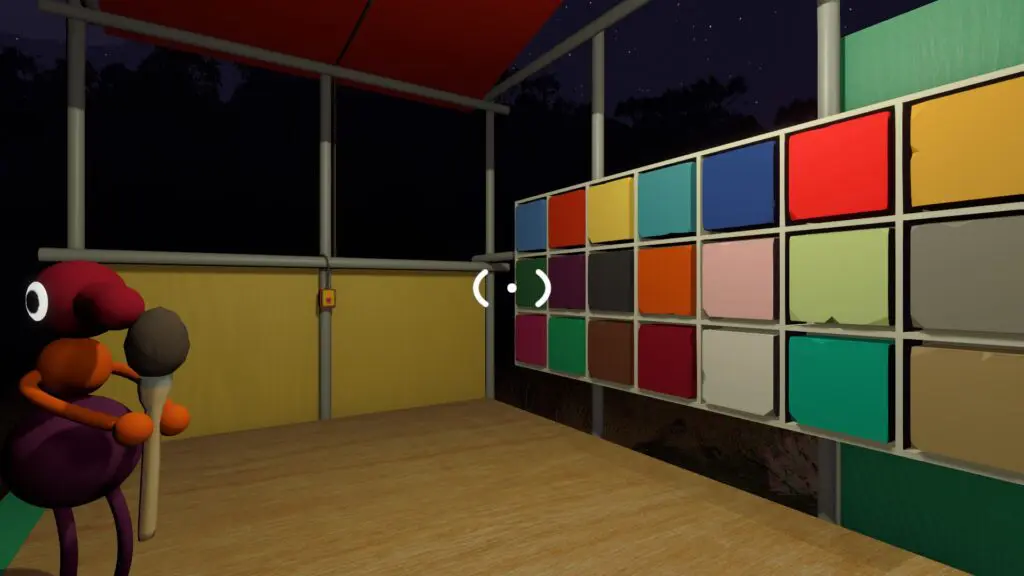
Swap roles so both players can customize
After the first character is finished, put the brush somewhere visible and swap painter and subject. Do not leave it under a player or behind the palette; the next person needs to pick it up normally.
For a larger group, form a queue and finish all three zones on one player before moving to the next. Calling the chosen sequence—such as “yellow head, blue body, red legs”—prevents the painter from dabbing a new colour between zones by mistake.
If the wrong body zone changes
- Stop and let the subject return to a neutral standing pose.
- Aim again until the white circle appears on the intended zone.
- Re-dip the brush in the desired colour.
- Repaint that zone; you do not need to reset the whole character.
The mirror is the reliable check. Lighting and distance can make two nearby palette colours look more similar than they do on the character.
Do colours persist?
The chosen colours remain when the host's run is loaded again, so the group does not need to revisit the station every session. You can still return to 3570, 1190 and repaint any zone later.
Because world progress belongs to the host, keep the same long-term host when the group wants both route progress and appearance changes to resume together.
Use appearance for group coordination
Colour is cosmetic, but deliberate combinations can make distant roles easier to recognize:
- give the key carrier a unique head colour;
- use one shared body colour for a puzzle subgroup;
- make the route leader visually different from the tail player;
- describe both colour and landmark over radio rather than relying on a name alone.
This is especially helpful when binoculars reveal a character shape but proximity audio no longer reaches them.
Related guides
Big Walk Backpacks & Hip Bags — All Locations
Find six backpacks and four hip bags, equip them through a teammate, carry three objects, and recover misplaced shared items.
Read guideBig Walk Communication Tools
Choose radios, walkie-talkies, megaphones, flares, cowbells, whiteboards, pointers, or gestures for the current constraint.
Read guideBig Walk Beginner Guide — Your First Hour
Choose the right host and world size, test in-game communication, and avoid the most common first-session mistakes.
Read guideBig Walk Achievements & PS5 Trophies — All 12
Complete all 12 Steam objectives, understand the 13-trophy PS5 difference, and reveal the two hidden ending descriptions deliberately.
Read guide