
Big Walk Lost & Found — Recover Missing Items
A two-branch recovery checklist for carried items and puzzle rewards without deleting the group’s save.
Table of contents
If an important item disappears, do not start a new save. First check every player's hands and attached bags. If the item is still missing, have the original host end the session and reload the same save, then check the Lost & Found in the Starting Hub.
The strongest repeatable route is for an item that a player was carrying when the session ended. A loose puzzle reward may follow a different recovery path, so use the two-branch checklist below instead of assuming every object returns to the same shelf.
Quick recovery route
- Stop moving and ask every player to check both hands, their back, and their hip attachment.
- Search the ground at the last handoff, throw, kick, transport stop, or puzzle interaction.
- The original host ends the current session normally.
- The same host opens the same save and chooses Continue.
- From the Starting Hub spawn, go ahead and to the right and inspect the Lost & Found pickup surfaces.
- If the missing object was a loose puzzle reward and is not there, return to the completed puzzle and inspect its original reward cushion or pickup position.
Finding the item visible and available to pick up is the useful success signal. You should not need to delete the save, make a replacement save, or repeat a completed puzzle before checking both recovery locations.
Check the group before reloading
Big Walk does not give the group a conventional inventory screen. An object can look missing when it is still attached to another player's backpack or hip bag, lying under a transport seat, or resting at the last handoff point.
Use this order before ending the session:
- have every player raise or show the item in each hand;
- inspect every backpack and hip bag from behind and from the side;
- check the floor where the item was attached, removed, thrown, or kicked;
- revisit the last vehicle platform or puzzle pedestal if it is nearby;
- name the missing object and who last held it so the group searches for the same thing.
The backpack and hip-bag guide explains the three carry positions and why another player may have removed a shared item without realizing it.
Reload the same host save
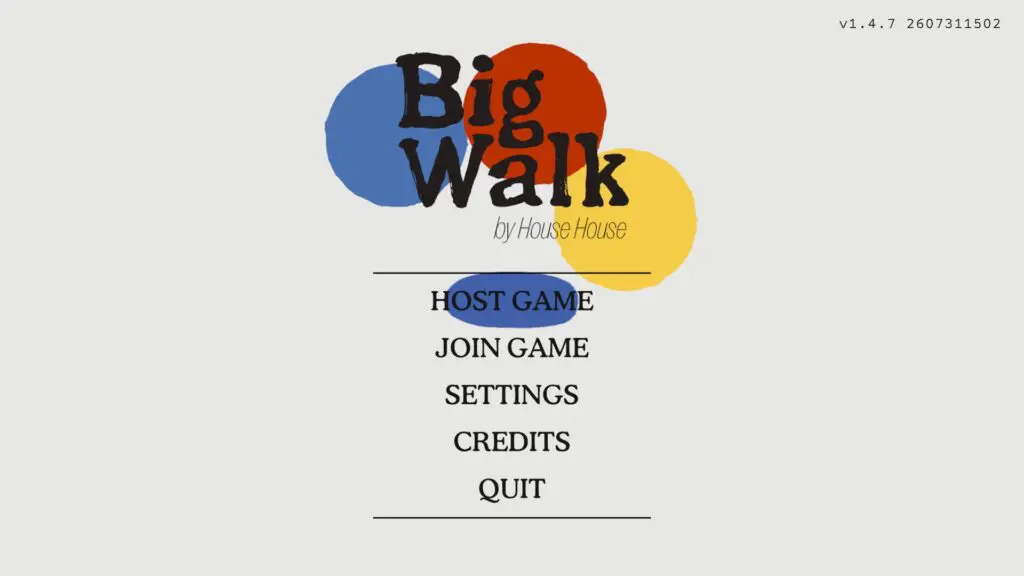
The save belongs to the original host. That player should end the session, return to the main menu, and select Host Game. Friends use Join Game only after the host has reopened the save.
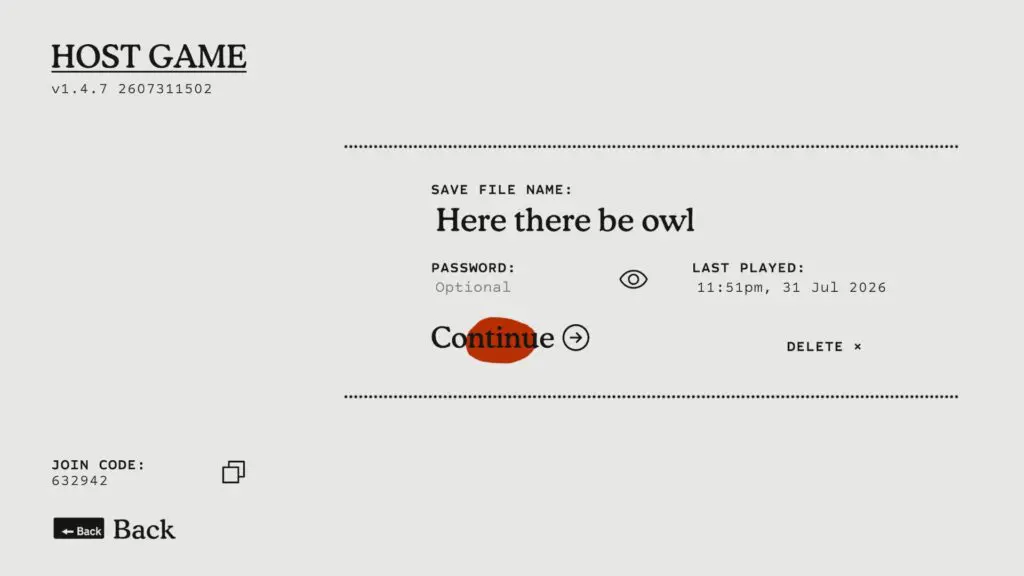
Select the existing save and choose Continue. Check the save name and Last Played time first: Delete appears on the same screen but is not part of this recovery route.
Friends can then rejoin with the new Join Code. As soon as the returning character loads, inspect both hands and every attached carry slot before anyone walks away from the spawn area.
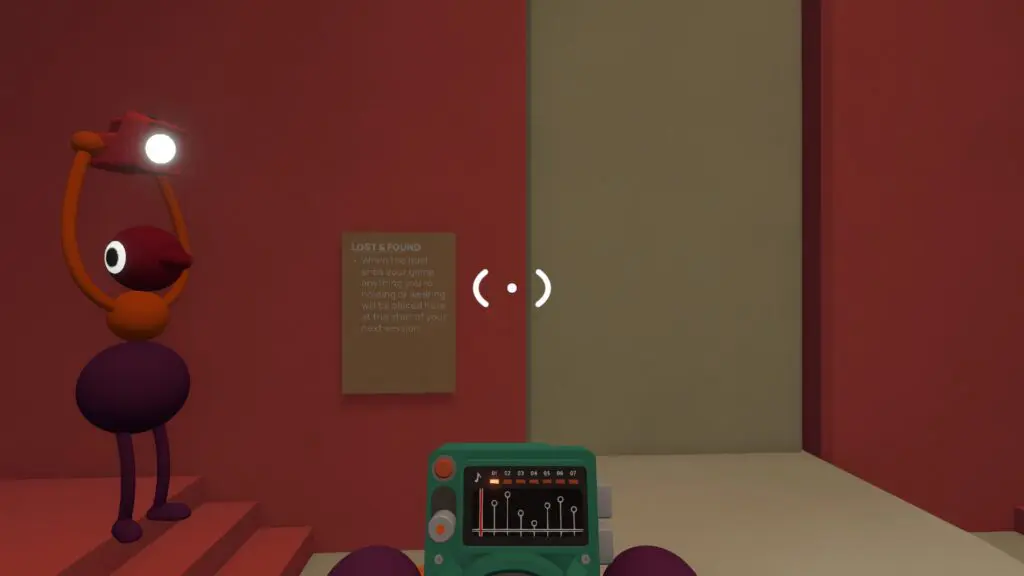
Do not choose a different host to test the recovery route. A different host opens a different progression state, which makes a recovered object and a missing save look like the same problem. If the group is unsure which save was used, compare the save name and Last Played time before continuing.
Use the host, save, and Join Code guide for the exact resume menu and same-host checks.
Find Lost & Found in the Starting Hub
After the save loads, start from the same hub where the group begins and later returns through checkpoints. From the spawn position, the reported route is straight ahead and then to the right. Inspect the pickup surfaces in that area rather than searching the entire island first.
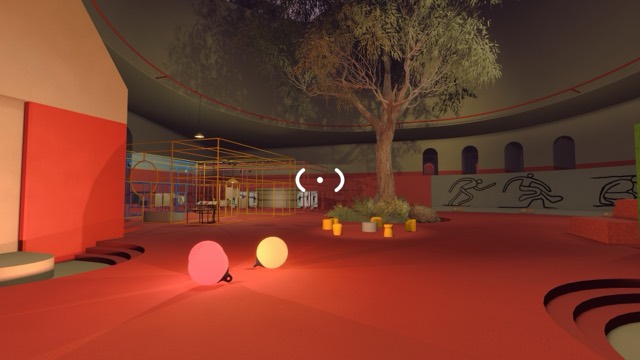
The Hub image identifies the Starting Hub interior, not the exact Lost & Found shelf. Open the interactive island map, select Starting Hub, and use its interior scene to confirm that the group is in the right hub before following the short direction from spawn.
If several players load at once, have one person inspect the hub while another checks the returning character's hands and bags. This avoids carrying the item away again before the rest of the group notices it has returned.
Use the right recovery branch
| What went missing | First place after reload | If it is not there |
|---|---|---|
| An important item held when the session ended | Starting Hub Lost & Found | Recheck the returning player's hands and attached bags, then confirm the same host and save were loaded. |
| A loose puzzle reward kicked, thrown, or dropped away from its solved puzzle | Starting Hub Lost & Found | Return to that completed puzzle and inspect the original reward cushion or pickup position. This second branch is a release-player observation, not a guarantee for every puzzle. |
| An ordinary loose toy or duplicate object | Last drop point, nearby floor, hands, and bags | The available evidence does not prove that every ordinary object is preserved; do not restart progression solely to replace it. |
The distinction matters: release players have observed a carried item returning at Lost & Found after reload, while one detailed recovery report saw a loose puzzle reward reset at its original solved-puzzle cushion instead. Checking both places is more reliable than treating either location as universal.
If the item is still missing
Run these checks before giving up on the save:
- Confirm that the original host loaded Continue on the expected save.
- Return to the Starting Hub and check ahead and right from spawn again.
- Inspect every returning character's hands, backpack, and hip bag.
- For a puzzle reward, revisit the exact solved puzzle and check its original reward holder, cushion, and nearby floor.
- Record what the item was, whether anyone held it while quitting, the selected 2-, 3-, or 4+-player world, and the current game version before reporting a possible persistence bug.
There is not enough verified evidence to promise a fixed respawn timer, an Item Finder, or identical behavior for every object and world size. The safe guide is therefore: preserve the same host save, check both recovery branches, and avoid deleting progress while the result is uncertain.
Related guides
Big Walk Host, Save & Join Code Guide
Choose the long-term host, find a rotating Join Code, join through friends, and resume the same save later.
Read guideBig Walk Backpacks & Hip Bags — All Locations
Find six backpacks and four hip bags, equip them through a teammate, carry three objects, and recover misplaced shared items.
Read guideBig Walk Interactive Map — 230 Locations & Puzzles
Search 230 Big Walk locations on a terrain map, isolate all 45 puzzles, inspect solution cues and screenshots, track found markers, and open related wiki guides.
Read guideBig Walk Beginner Guide — Your First Hour
Choose the right host and world size, test in-game communication, and avoid the most common first-session mistakes.
Read guide